DarkMatter Web Utilities | Version 1.9.2
DarkMatter Software | Plugins for WordPress
A focused administrative toolkit for WordPress, combining visitor intelligence,
server diagnostics, encryption utilities, network testing, and site-wide messaging
inside one sharp, dark-themed dashboard.
Administrative Utilities Without the Clutter
DarkMatter Web Utilities is a compact WordPress plugin designed for administrators
who want quick access to useful diagnostic and management tools without installing
a sprawling collection of unrelated plugins. It brings several practical utilities
together inside a single dashboard page, using a clear interface built for fast
inspection, testing, and routine maintenance.
The plugin presents information in distinct panels, allowing each tool to remain
easy to identify and operate. Its dark administrative interface keeps important
data readable while reducing the visual noise commonly found in older WordPress
utility plugins.
Included Utilities
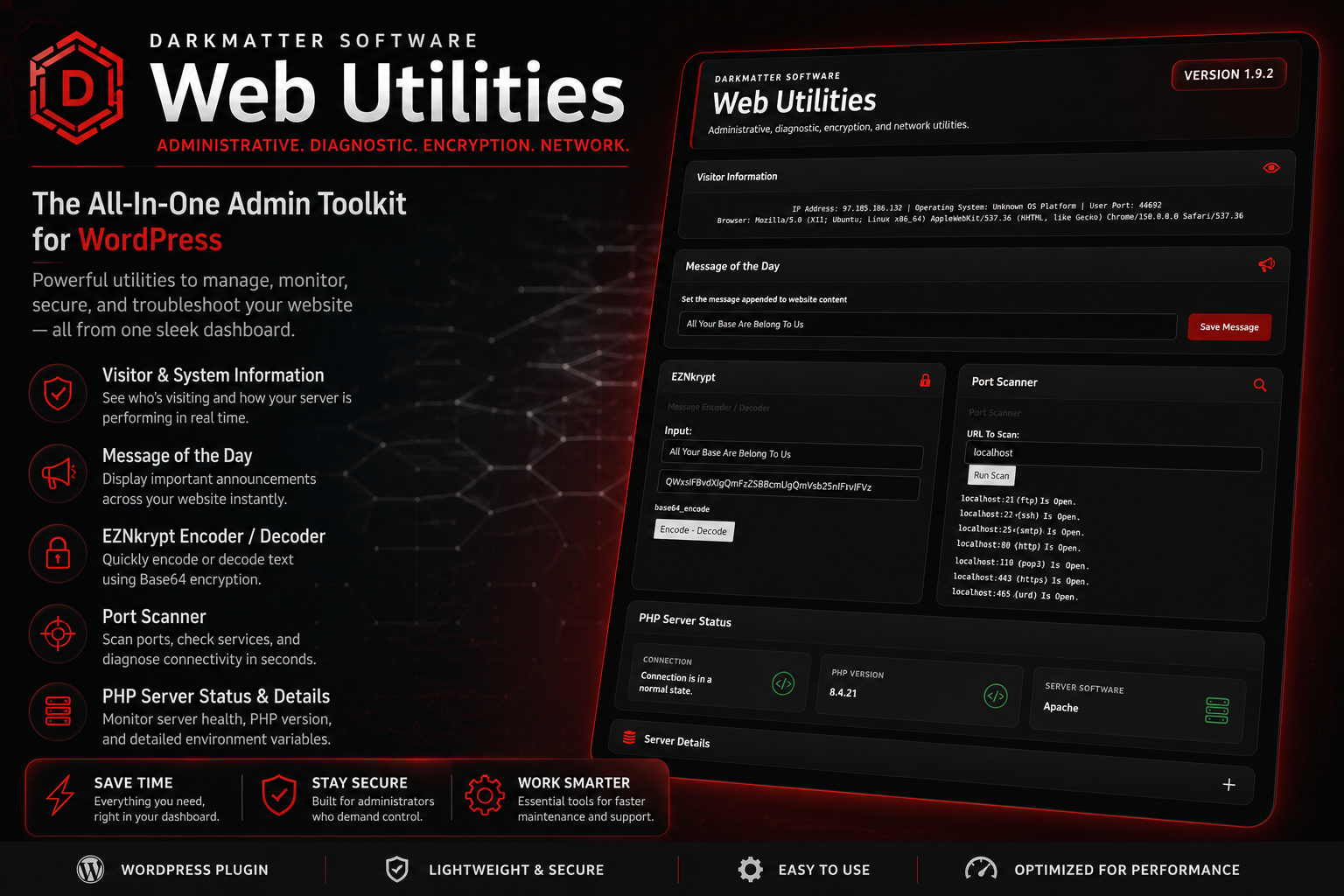
Visitor Information
View essential visitor and connection details directly from the WordPress
dashboard. The panel displays the visitor IP address, operating-system
information, browser user agent, and connection port, providing a quick
snapshot of how the current session is reaching the website.
Message of the Day
Create a site-wide message from the administration panel and append it to
website content. This can be used for notices, status messages, announcements,
temporary warnings, maintenance information, or any short message that should
appear consistently across published content.
EZNkrypt Encoder and Decoder
Encode or decode text using Base64 from inside WordPress. EZNkrypt provides a
simple utility for transforming plain text into an encoded string or restoring
encoded data to its readable form. It is useful for testing, development,
transport formatting, and basic data handling.
Port Scanner
Test a hostname or address against a selection of commonly used network ports.
The scanner helps identify whether services such as FTP, SSH, SMTP, HTTP,
POP3, HTTPS, and other standard endpoints appear open and reachable.
PHP Server Status
Review the current PHP connection state, active PHP version, and server
software from a clean status panel. This gives administrators an immediate
overview of the environment supporting the WordPress installation.
Server Details
Expand the Server Details section to inspect available server variables,
request information, host data, protocol values, document paths, client
headers, and other environment information exposed to PHP.
Built for Practical WordPress Administration
DarkMatter Web Utilities is intended to reduce the number of steps required to inspect
a website, verify server behavior, encode information, test common services, or publish
a quick message. Each function is available from the same WordPress dashboard screen,
keeping routine administrative work close at hand.
The plugin does not attempt to replace full server-management platforms or advanced
security suites. Instead, it provides a lightweight collection of useful tools for
site owners, developers, support technicians, and administrators who need immediate
answers without leaving WordPress.
Designed for the DarkMatter Ecosystem
The redesigned interface brings DarkMatter Web Utilities into the broader visual
language of DarkMatter Software. Dark panels, restrained red accents, responsive
layouts, and clearly separated information blocks create a consistent administrative
experience alongside other DarkMatter plugins and applications.
Although the plugin began as an older utility collection, its working core has been
preserved while the administration interface has been modernized. This approach keeps
the proven functionality intact while making the plugin easier to read, install,
operate, and maintain across multiple WordPress websites.
Key Benefits
- Multiple administrative utilities in one plugin
- Fast visitor and browser inspection
- Basic PHP and server-environment reporting
- Integrated Base64 encoding and decoding
- Common network-port testing
- Site-wide message management
- Responsive dark WordPress dashboard interface
- Lightweight structure with no unnecessary visual clutter
- Easy installation across multiple WordPress websites
Who It Is For
DarkMatter Web Utilities is suitable for WordPress administrators, independent
developers, website owners, technical support providers, homelab operators, security
learners, and anyone maintaining multiple WordPress installations.
It is especially useful when a site owner needs a quick administrative overview without
connecting to a separate control panel, opening a terminal, or installing several
single-purpose plugins.
Installation
- Download the DarkMatter Web Utilities plugin package.
- Open the WordPress administration dashboard.
- Navigate to Plugins → Add New Plugin.
- Select Upload Plugin.
- Choose the plugin ZIP file and complete the installation.
- Activate the plugin.
- Open DarkMatter Utilities from the dashboard menu.
Operational Notes
Port-scan results depend on the hosting environment, firewall configuration, network
routing, and permissions available to PHP. Some shared hosting providers may restrict
outbound connection testing or block specific ports.
Server-variable availability also varies between Apache, Nginx, LiteSpeed, proxy
configurations, containerized systems, and managed WordPress platforms. A missing value
does not necessarily indicate an error.
Base64 encoding is a data-transformation method and should not be treated as strong
encryption or secure protection for passwords, private keys, or sensitive information.
Download DarkMatter Web Utilities
One Dashboard. Multiple Essential Utilities.
Inspect visitors, test services, review server details, transform text, and manage
site-wide messages from one unified WordPress administration interface.
DarkMatter Web Utilities provides the practical tools needed for
faster maintenance, clearer diagnostics, and more efficient website administration.